Image to Prompt logo Image to prompt Install the extension

AI Christmas photo generator: make yours in ChatGPT or Gemini

Start from a photo you already have. Upload it to ChatGPT or Gemini and paste a prompt that keeps every face exactly as it is while adding the tree, the lights, the outfits or Santa himself. Pick a look below and copy your prompt.

Updated · Works with ChatGPT and Gemini (Nano Banana)

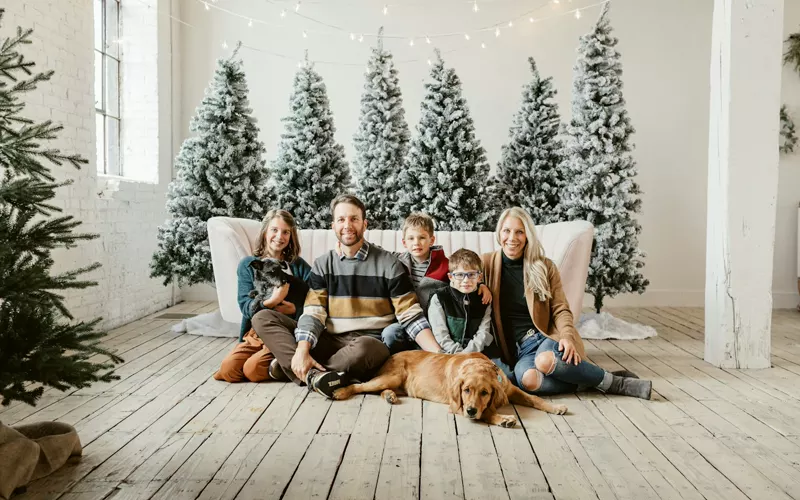
Family of five and a golden retriever sitting on a white sofa in front of snowy Christmas trees
The studio Christmas card look. Photo: Jennifer Kalenberg / Unsplash

Build your Christmas photo prompt

Choose a look and who is in your photo. The prompt updates as you click.

Look
Who is in your photo
For
Christmas card
Open ChatGPT

How to make an AI Christmas photo

  1. Choose one sharp photo. Faces toward the camera, even light, nobody cut off. For a group, use a single photo with everyone in it.
  2. Open ChatGPT or Gemini and attach the photo with the + button.
  3. Paste your prompt from the builder and send it.
  4. Fix details in the same chat. Try “warmer light”, “more snow” or “keep the faces identical to my photo”.
  5. Download the image and share it or print it as a card.

Six Christmas photo prompts to copy

Each prompt is written for a photo of one person. The builder above adapts it for couples, families and pets.

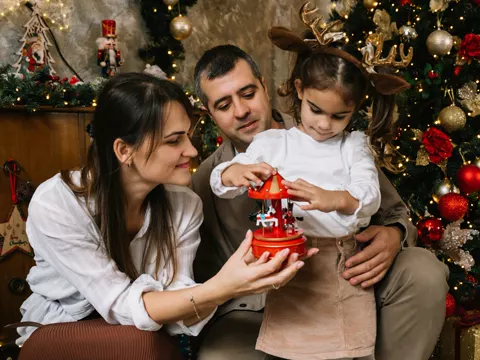
Parents and a little girl in reindeer antlers playing with a carousel ornament by a Christmas tree

Family Christmas card

Using the photo I uploaded, keep my exact face, facial features, skin tone, age and expression. Turn it into a family Christmas card portrait in a cozy living room, with a decorated tree and warm string lights behind me and wrapped gifts nearby. Dress me in a cream knit sweater. Soft warm window light. Make it look like a real photograph with natural skin texture, not an illustration.

Reference: Dmitry Rodionov / Unsplash
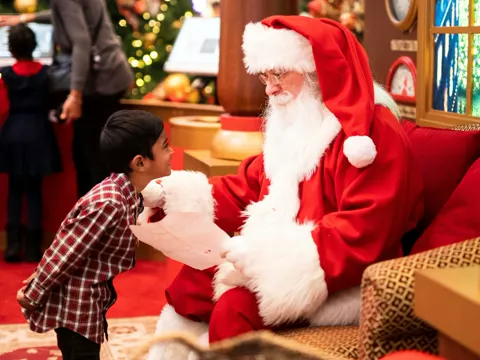

Smiling boy handing his wish list to Santa Claus in a red suit at a decorated holiday set

AI Santa photo

Using the photo I uploaded, keep my exact face, facial features, skin tone, age and expression. Place me next to a real-looking Santa Claus with a full white beard and a red velvet suit, on a festive Santa set with a decorated tree and presents. We are both smiling at the camera. Warm, even event lighting. Make it look like a real photograph with natural skin texture, not an illustration.

Reference: __ drz __ / Unsplash
Four people in matching plaid Christmas pajamas and Santa hats posing by a decorated tree

Matching Christmas pajamas

Using the photo I uploaded, keep my exact face, facial features, skin tone, age and expression. Make it a Christmas morning photo on the floor beside the tree, opening presents, wearing red-and-white plaid Christmas pajamas and a Santa hat. Bright, airy morning light. Make it look like a real photograph with natural skin texture, not an illustration.

Reference: Ufoma Ojo / Unsplash
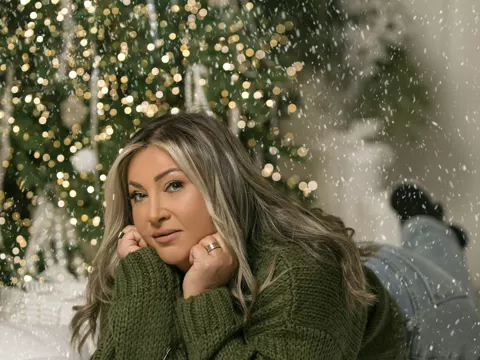
Woman in a green knit sweater lying on a white blanket in front of a Christmas tree with fairy lights

Cozy by the tree

Using the photo I uploaded, keep my exact face, facial features, skin tone, age and expression. Show me relaxing on a soft white blanket in front of a Christmas tree glowing with fairy lights, wearing a chunky green knit sweater. Shallow depth of field with warm bokeh. Make it look like a real photograph with natural skin texture, not an illustration.

Reference: Zaven Baghdasaryan / Unsplash
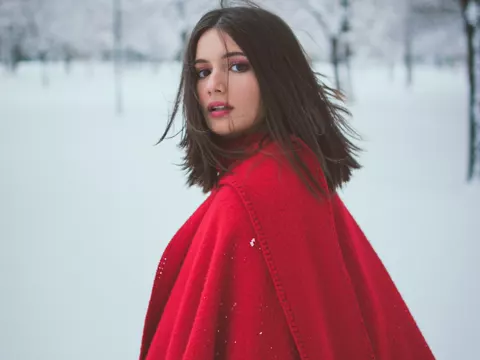
Young woman in a red wool cape standing in a snowy forest

Snowy outdoors

Using the photo I uploaded, keep my exact face, facial features, skin tone, age and expression. Place me outdoors in a snowy forest with gentle snowfall, wearing a red wool coat and a knit scarf. Soft overcast winter light. Make it look like a real photograph with natural skin texture, not an illustration.

Reference: Virginia Berbece / Unsplash
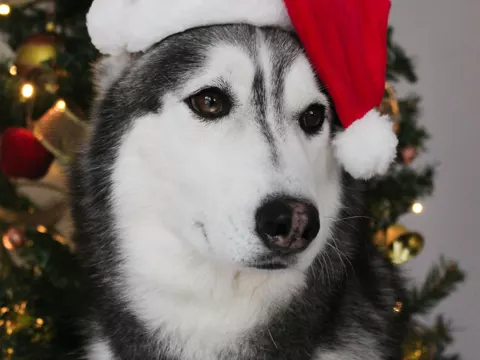
Husky wearing a red Santa hat in front of a decorated Christmas tree

Pet in a Santa hat

Using the photo of my pet I uploaded, keep its exact breed, face, fur color and markings. Show it wearing a small red Santa hat, sitting in front of a decorated Christmas tree with warm lights. Natural, sharp pet portrait. Make it look like a real photograph with natural fur texture, not an illustration.

Reference: Alin Luna / Unsplash

Turn it into an AI Christmas card

Tick “Make it a card” in the builder and type your greeting. The prompt asks for a printed card layout with your words in the lower part of the image.

Tips for a realistic result

Questions

Which AI Christmas photo generator should I use?
ChatGPT and Gemini both edit your own photos well. Upload your photo, paste a prompt from this page and send it. If one of them changes the faces, try the same prompt in the other.
Can I make a Christmas card with AI?
Yes. Tick “Make it a card” in the builder, type your greeting and the prompt asks for a printed card layout with your text. Check the spelling in the result, because AI models still misspell words now and then.
How do I keep everyone's faces the same?
Use one sharp photo where every face is visible and well lit, keep the sentence that asks the AI to preserve exact faces, and ask it not to add or remove people. If a face drifts, reply “keep the faces identical to my photo” in the same chat.
Can I put my dog or cat in a Christmas photo?
Yes. Choose the pet look, or pick “Me and my pet” and upload one photo where both of you are visible.
Is it safe to upload family photos?
Your photo goes to the AI service you choose, not to this site. Check that service's privacy settings, and ask the people in the photo before you upload it.

More guides

Photos on this page are real reference photos from Unsplash, used under the Unsplash License, to show each look. They were not made with AI.