Image to Prompt logo Image to prompt Install the extension

AI pet portrait generator: turn your pet's photo into a portrait

Upload a clear photo of your dog or cat to ChatGPT or Gemini and paste a prompt that keeps your pet's face, fur and markings while changing the style: a Renaissance noble, a classic oil painting, a soft watercolor or a pencil sketch. Pick a style below and copy your prompt.

Updated · Works with ChatGPT and Gemini (Nano Banana)

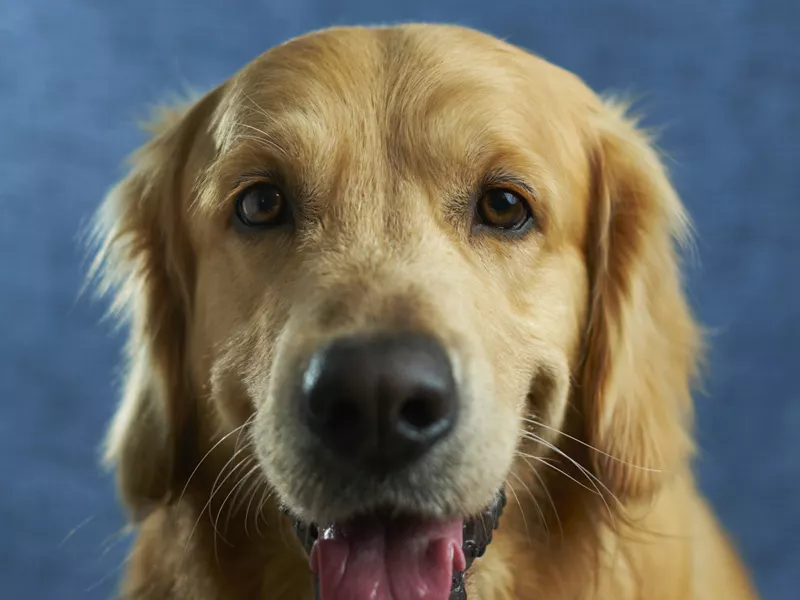
Golden retriever looking into the camera against a blue studio backdrop
A good starting photo: sharp eyes, even light, the whole face in frame. Photo: Victor G / Unsplash

Build your pet portrait prompt

Choose a style and who is in the photo. The prompt updates as you click.

Style
Who is in your photo
For
Presentation
Open ChatGPT

How to make a pet portrait from a photo

  1. Pick your best photo. Eyes in focus, daylight or soft indoor light, the whole head in frame. Photos taken at your pet's eye level work best.
  2. Open ChatGPT or Gemini and attach the photo with the + button.
  3. Paste your prompt from the builder and send it.
  4. Compare with the original. If an ear, a spot or the eye color is off, reply with exactly what to fix, for example “the white patch is on the left side of the chest”.
  5. Download the result and keep the largest version for printing.

Six pet portrait styles to copy

Each prompt is written for one dog. The builder above adapts it for cats, two pets or a portrait with you. Every reference image below is a real painting, drawing or photo, not an AI result.

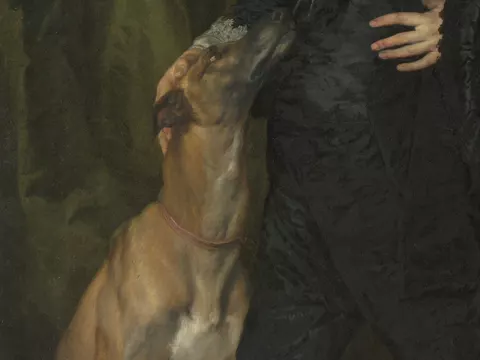
Detail of a 17th-century oil portrait: a greyhound resting its head against its owner's black velvet doublet

Renaissance pet portrait

Using the photo of my dog I uploaded, keep its exact breed, face shape, eye color, fur color and markings. Paint it as a 17th-century noble in an oil portrait: a dark velvet cloak, a white lace collar and a gold chain, posed in front of deep green drapery. Rich old-master oil painting with visible brushwork, warm candle-like light and a dark background.

Reference: Anthony van Dyck, James Stuart, Duke of Richmond and Lennox, c. 1633–35, The Met
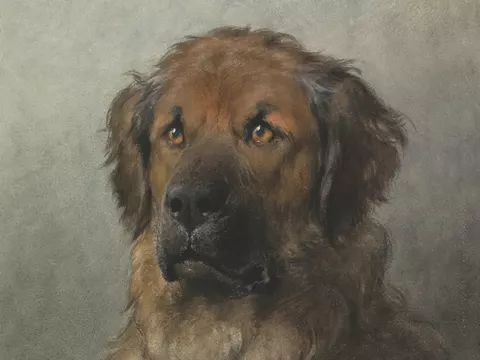
19th-century oil study of a Leonberger's head on a grey background

Classic oil painting

Using the photo of my dog I uploaded, keep its exact breed, face shape, eye color, fur color and markings. Turn it into a classic 19th-century oil portrait of the head and shoulders, with soft, loose brushstrokes, natural fur texture and a plain warm-grey background. Calm, dignified expression.

Reference: Head of a Leonberger, c. 1880–92, Rijksmuseum
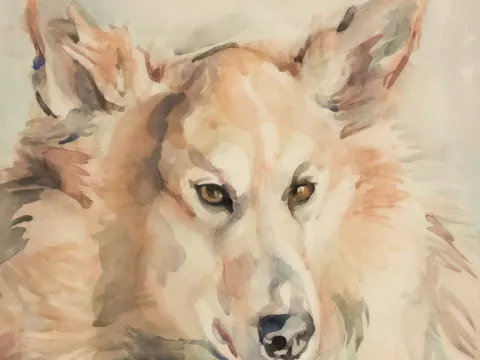
Watercolor portrait of a light-coated dog with loose peach and grey washes

Watercolor pet portrait

Using the photo of my dog I uploaded, keep its exact breed, face shape, eye color, fur color and markings. Turn it into a loose watercolor portrait on textured white paper: soft washes, gentle color bleeds, fine detail around the eyes and nose, and unpainted paper around the edges.

Reference: Anna Triik-Põllusaar, Tuks, 1929, Tartu Art Museum
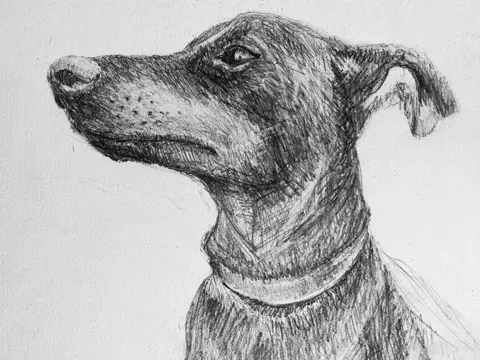
Graphite pencil drawing of a short-haired dog in profile wearing a collar

Pencil sketch

Using the photo of my dog I uploaded, keep its exact breed, face shape, eye color, fur color and markings. Turn it into a detailed graphite pencil drawing on white paper, with fine hatching for the fur, strong shading around the eyes and a light, unfinished outline at the edges.

Reference: Chris Curry / Unsplash
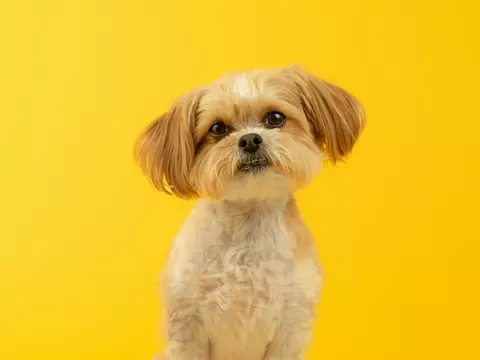
Small fluffy dog sitting in front of a bright yellow studio backdrop

Color studio photo

Using the photo of my dog I uploaded, keep its exact breed, face shape, eye color, fur color and markings. Turn it into a professional studio portrait: sitting upright in front of a seamless bright yellow backdrop, soft even studio lighting, sharp focus on the eyes. Make it look like a real photograph with natural fur texture.

Reference: Karsten Winegeart / Unsplash
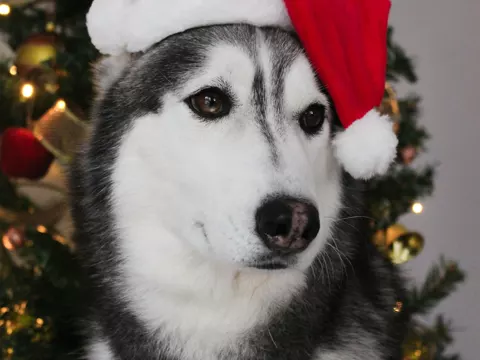
Husky wearing a red Santa hat in front of a decorated Christmas tree

Christmas pet portrait

Using the photo of my dog I uploaded, keep its exact breed, face shape, eye color, fur color and markings. Show it wearing a small red Santa hat, sitting in front of a decorated Christmas tree with warm lights. Make it look like a real photograph with natural fur texture.

Reference: Alin Luna / Unsplash. More holiday looks in the AI Christmas photo guide.

Keep it looking like your pet

AI tends to turn every dog into a generic version of its breed. These details keep the portrait recognisable:

Print it or give it as a gift

Questions

Which AI pet portrait generator should I use?
ChatGPT and Gemini both edit your own pet photos well. Upload the photo, paste a prompt from this page and send it. If one of them changes your pet's face or markings, try the same prompt in the other.
Does it work for cats and other pets?
Yes. The default prompts are written for an AI dog portrait; choose “My cat” in the builder and the prompt keeps the cat's face, eye color and coat pattern. For rabbits, birds and other pets, use the dog prompt and replace the word “dog”.
Can I be in the portrait with my dog?
Yes. Choose “Me and my pet” and upload one photo where both of you are visible. The prompt asks the AI to keep both faces.
How do I make a Renaissance pet portrait?
Pick the Renaissance noble style, upload your pet's photo and send the prompt. It dresses your pet in a velvet cloak and lace collar and paints it in the style of a 17th-century oil portrait.
Can I print an AI pet portrait?
Yes, for small and medium prints. Download the largest version and upscale it for anything bigger than 8×10 inches. Check the eyes and whiskers at full size before you order.

More guides

Reference images on this page are real paintings, drawings and photos from Unsplash, including public-domain works from The Met, the Rijksmuseum and the Tartu Art Museum. They were not made with AI.